Timesheet for Jira for Cities is a time tracking and resource management solution designed for cities and municipalities. It helps track employee working hours, tasks, and projects in the Jira environment, as well as supports approval processes, reporting, and integrations with payroll and ERP systems.
Value Proposition
The main value proposition of i4ware products is an excellent user experience. The products are designed to be as intuitive as possible, so users do not need to participate in separate training sessions or onboarding.
User interfaces are optimized separately for workstations (Windows, macOS, and Linux) as well as mobile devices. The solutions work directly in the browser without separate application installations or dependencies on different app stores. For the customer, it is sufficient to install the product from the Atlassian Marketplace.
The key competitive advantage in product development is the design of the user interface and user experience. The goal is to provide a faster, clearer, and more pleasant user experience than competitors – similar to how the TAC-2 joystick from the Commodore 64 era was known for its exceptional ergonomics and quality compared to competitors. Following the same principle, i4ware invests in the design, usability, and efficiency of software so that users can focus on their work instead of learning the software.
Replace click-heavy dialogs with an Excel-style keyboard grid. Start tracking, approve worklogs, and export billable hours without leaving Jira.
Simple, powerful time management built directly into your Jira workspace.
Keyboard-First Time Tracking
Navigate and log time across multiple Jira issues entirely from your keyboard.
Real-Time Timers
Start and stop active timers directly inside your issues to record work automatically.
10x Faster Than Native
Eliminate slow modals and click-heavy dialogs to save developers hours weekly.
Manager Approval Workflow
Review, approve, or reject team timesheets with notes directly in Jira.
Billable Hours Tracking
Configure role-based rates to track project costs and profitability in real time.
Excel Export & Reporting
Export clean, invoice-ready timesheets directly to XLSX files with one click.
We built Timesheet for Jira around high-performance workflows. Never lose your focus or reach for the mouse. Control your logs entirely with simple keyboard commands.
| Key Command | Action / Operation |
|---|---|
| Click | Click a cell to activate it |
| Number Keys | Enter values into the selected cell using number keys |
| Tab | Save value and move forward to the next cell |
| Shift + Tab | Save value and move backward to the previous cell |
| Enter | Open green + button, which opens modal dialog for entering details |
Watch how fast it is to log work and explore AI automation directly inside Jira.
Product Walkthrough
English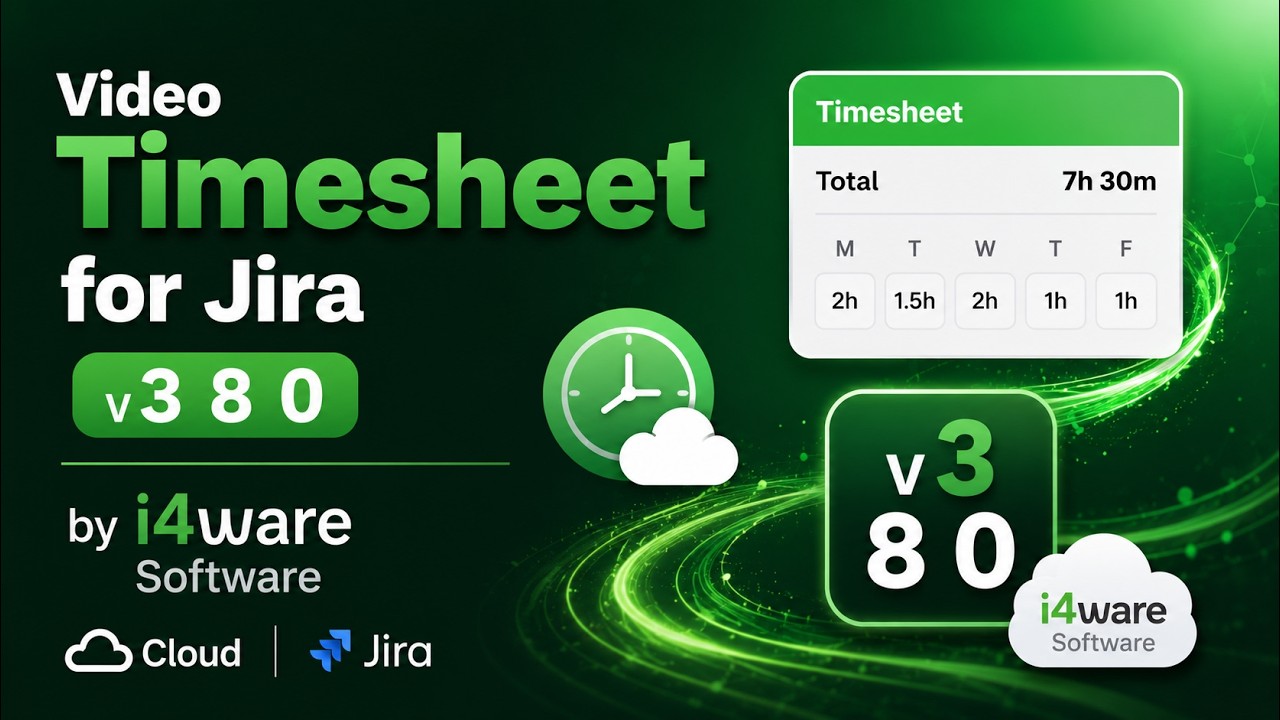
Complete walkthrough of the keyboard-first grid, active timers, manager approval flow, and XLSX export reports.
AI Automation Overview
English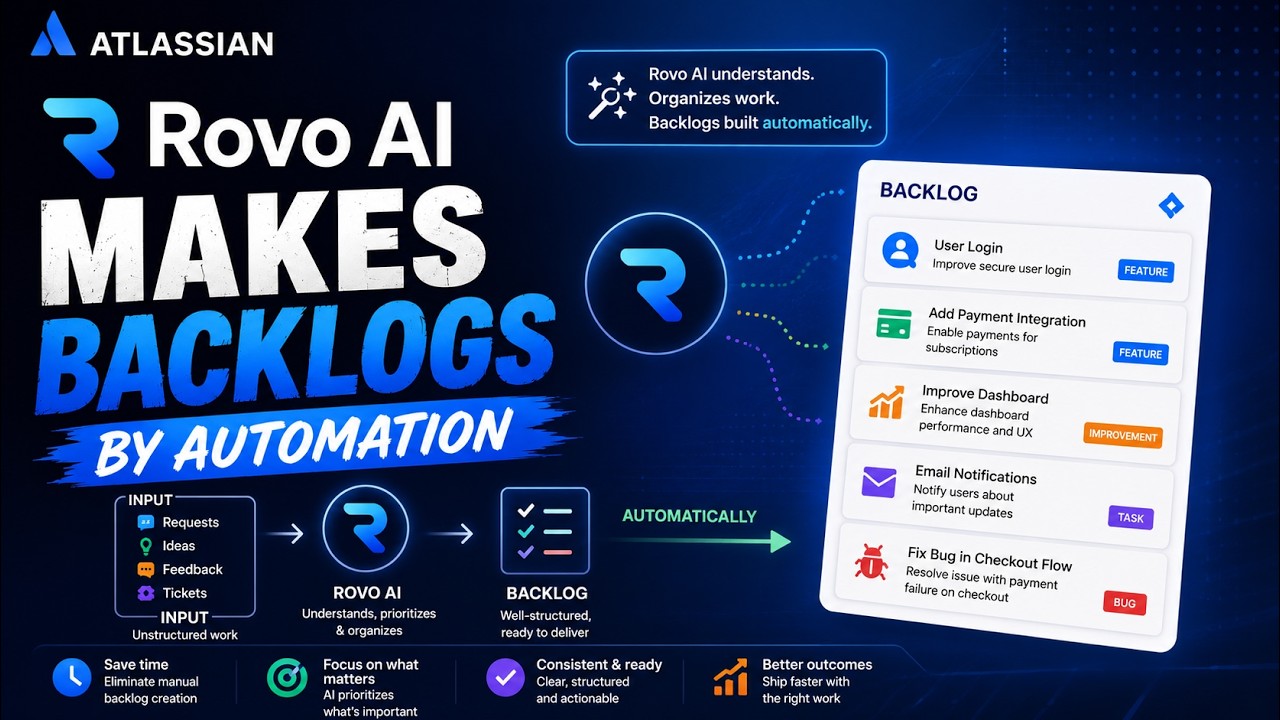
A deep dive into our built-in AI-assisted worklog automation features and localized interface settings.
A friction-free interface tailored for developers, managers, and billing teams. Click any screenshot below to expand.
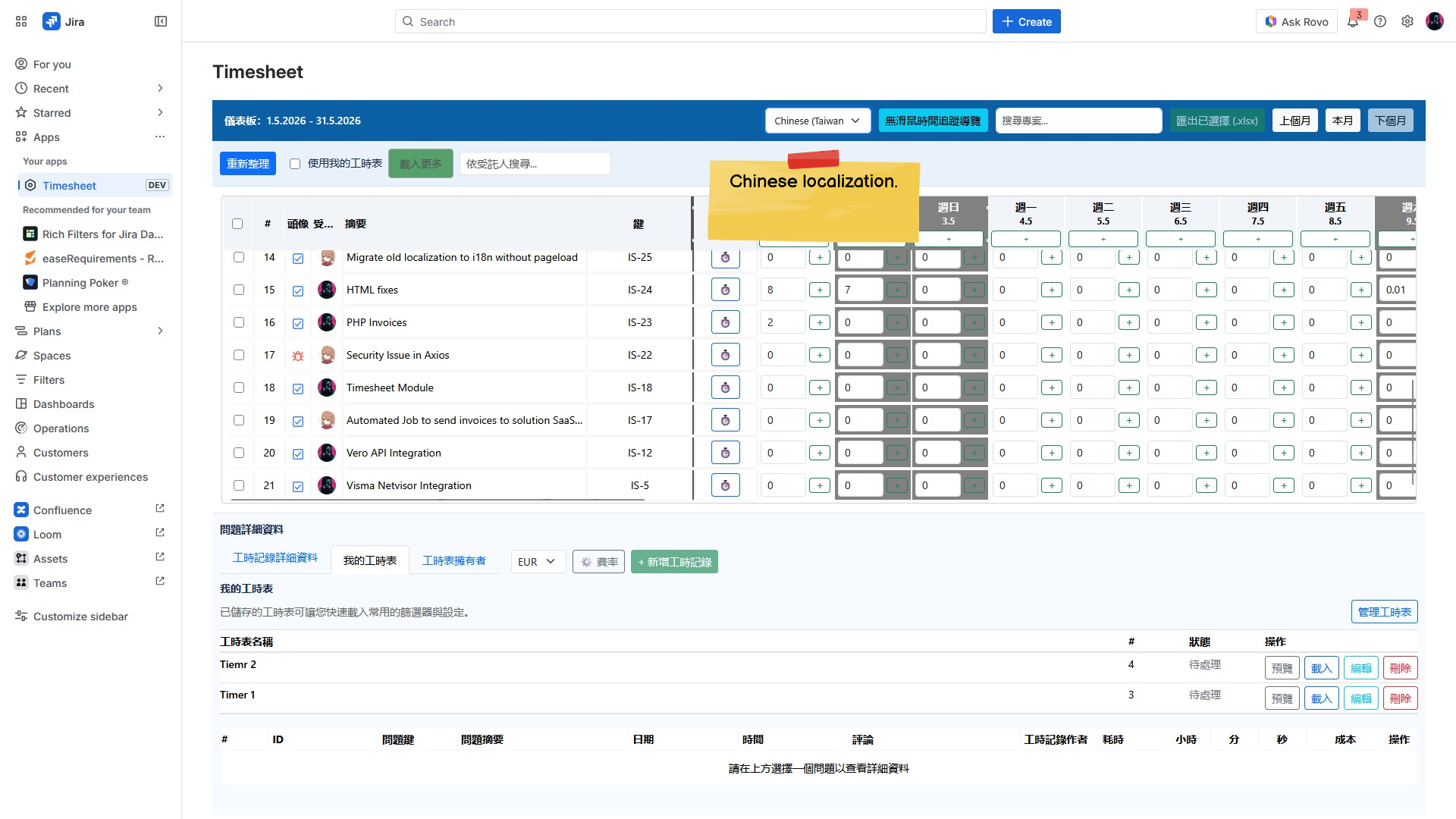
Timesheet Localization
Timesheet interface with Chinese localization.
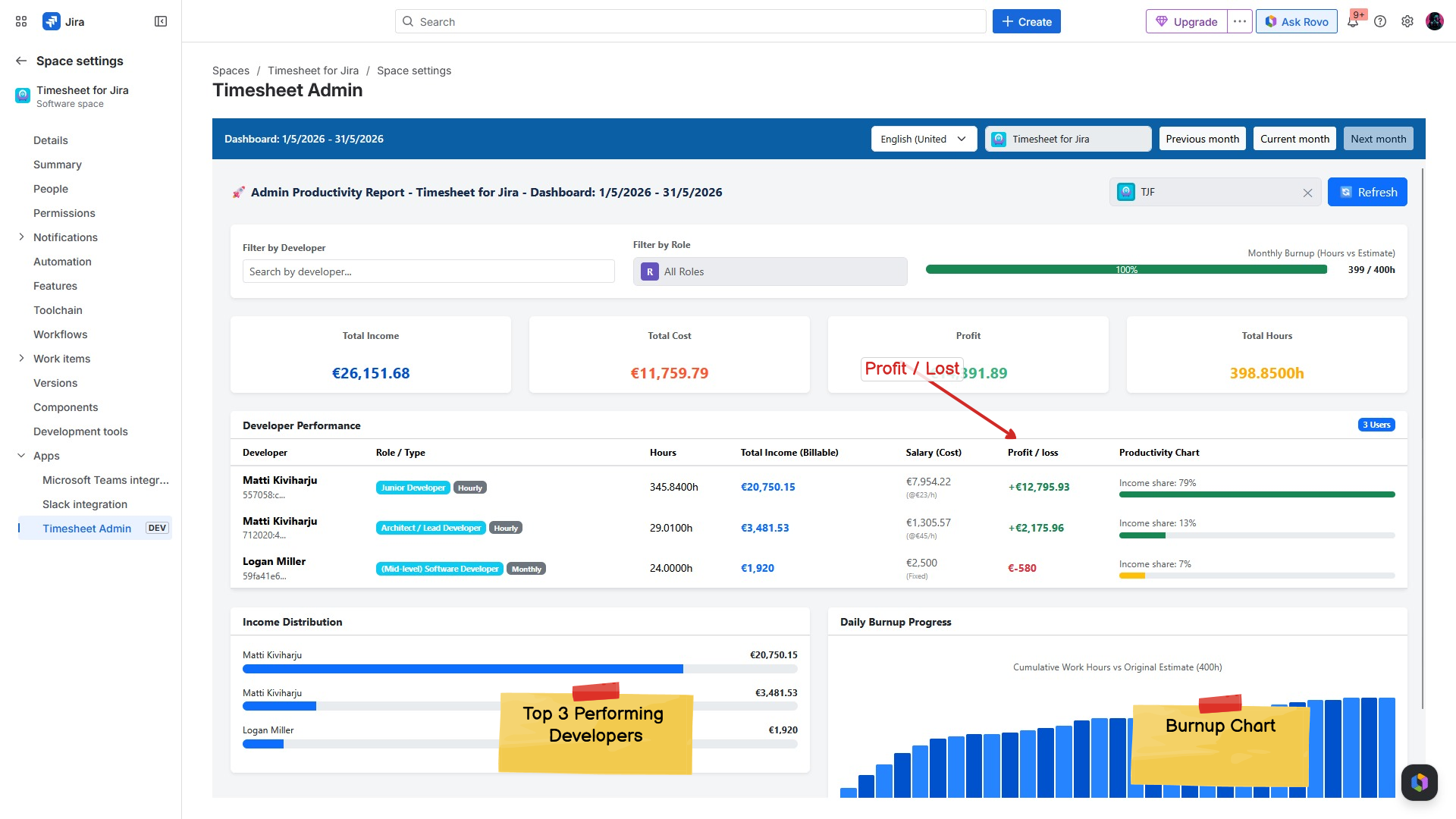
Timesheet Management Jira Report
Jira timesheet management report for developers
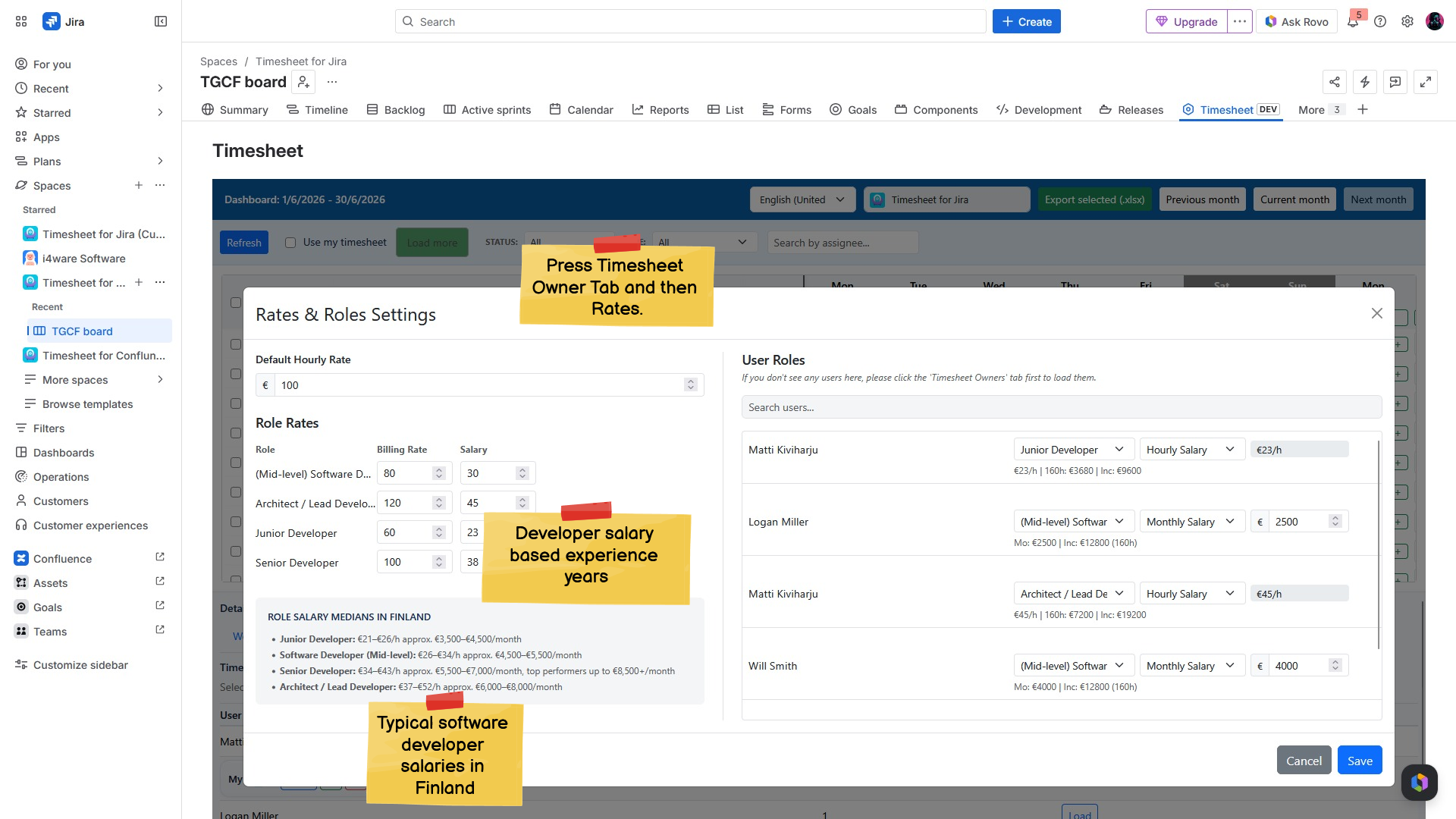
Timesheet Settings in Jira
Timesheet role and salary settings.
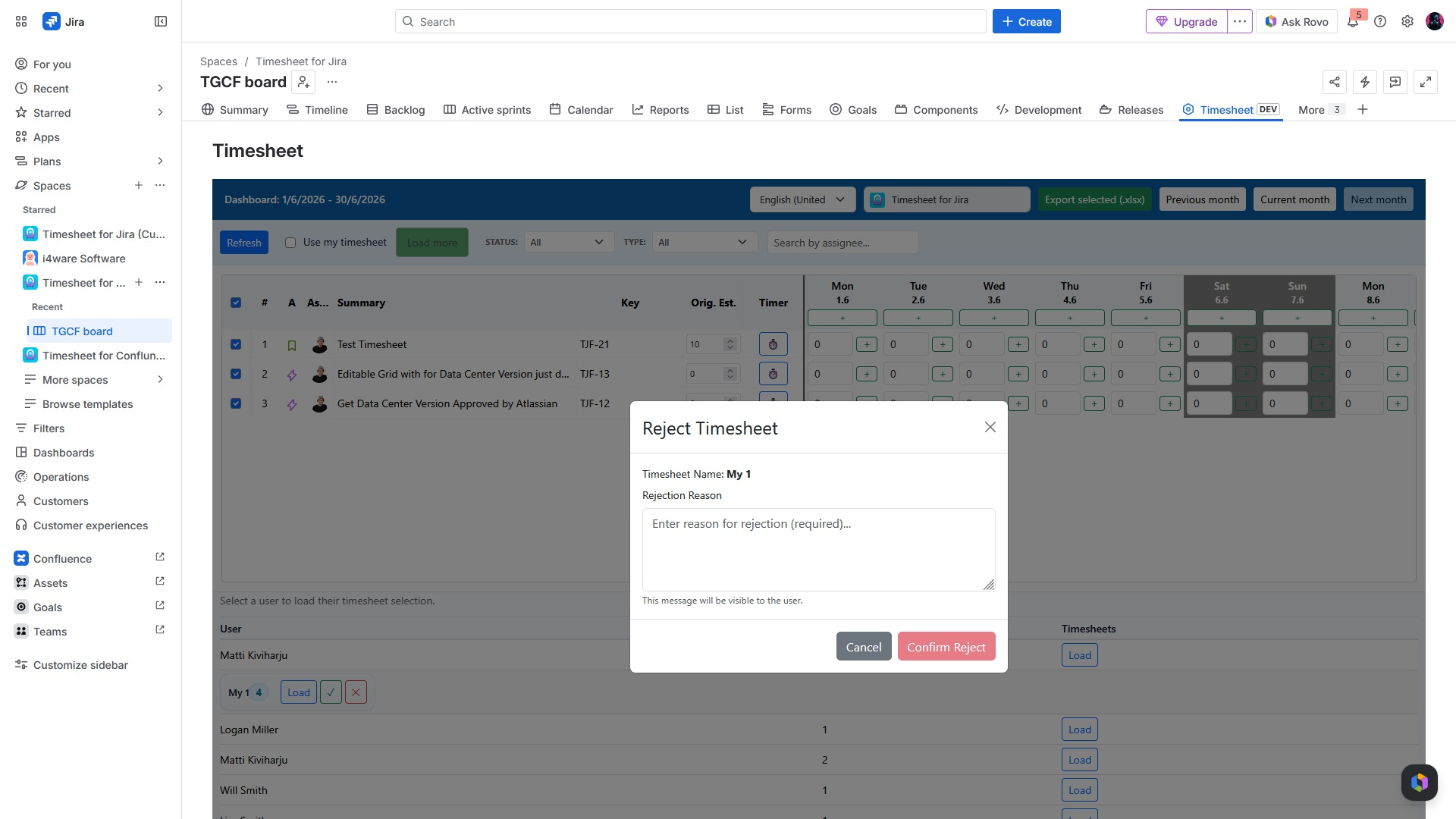
Rejecting Timesheet in Jira Application
Timesheet rejection process in the Jira application.
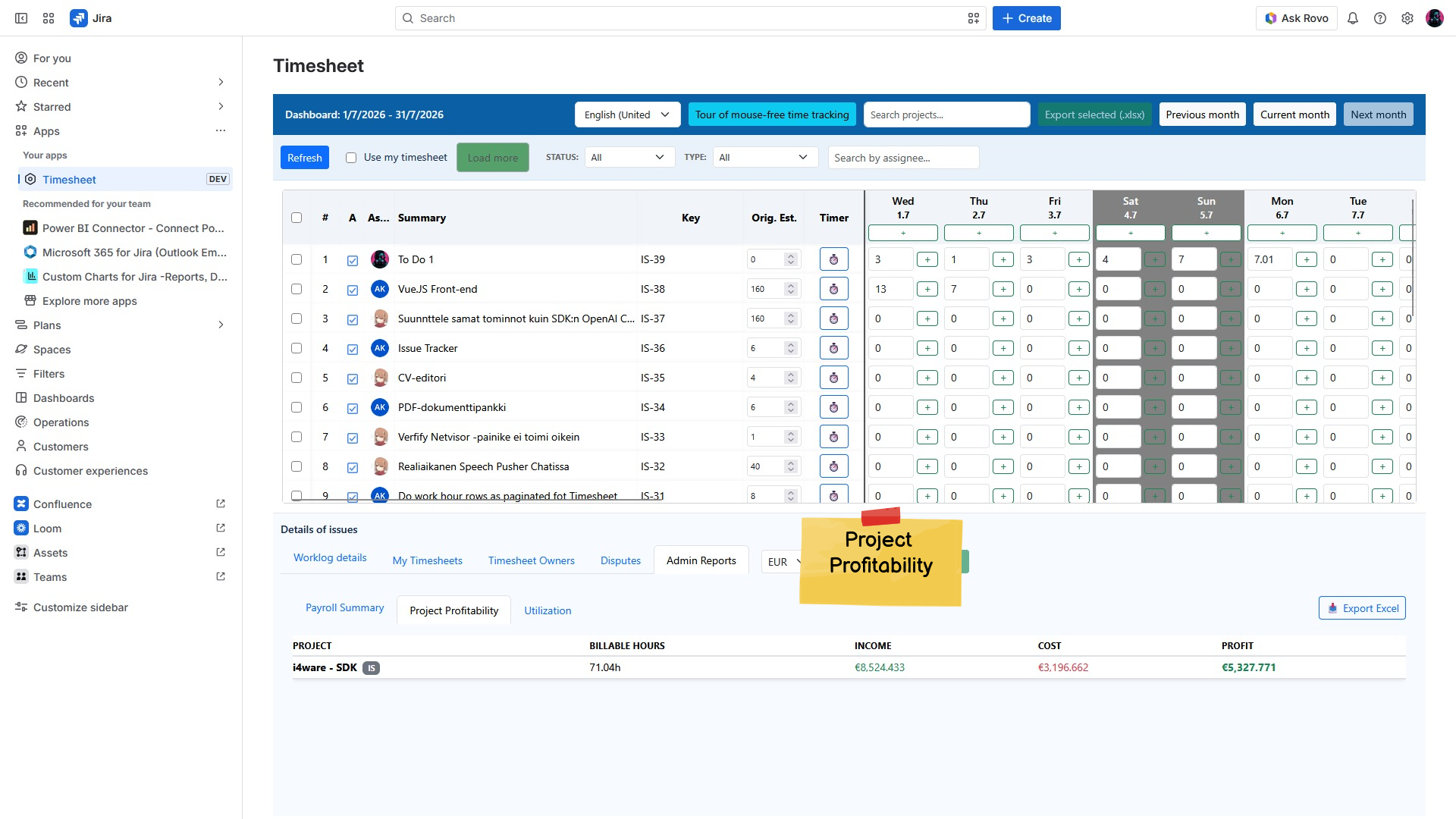
Timesheet Management in Jira
Timesheet view in the Jira application
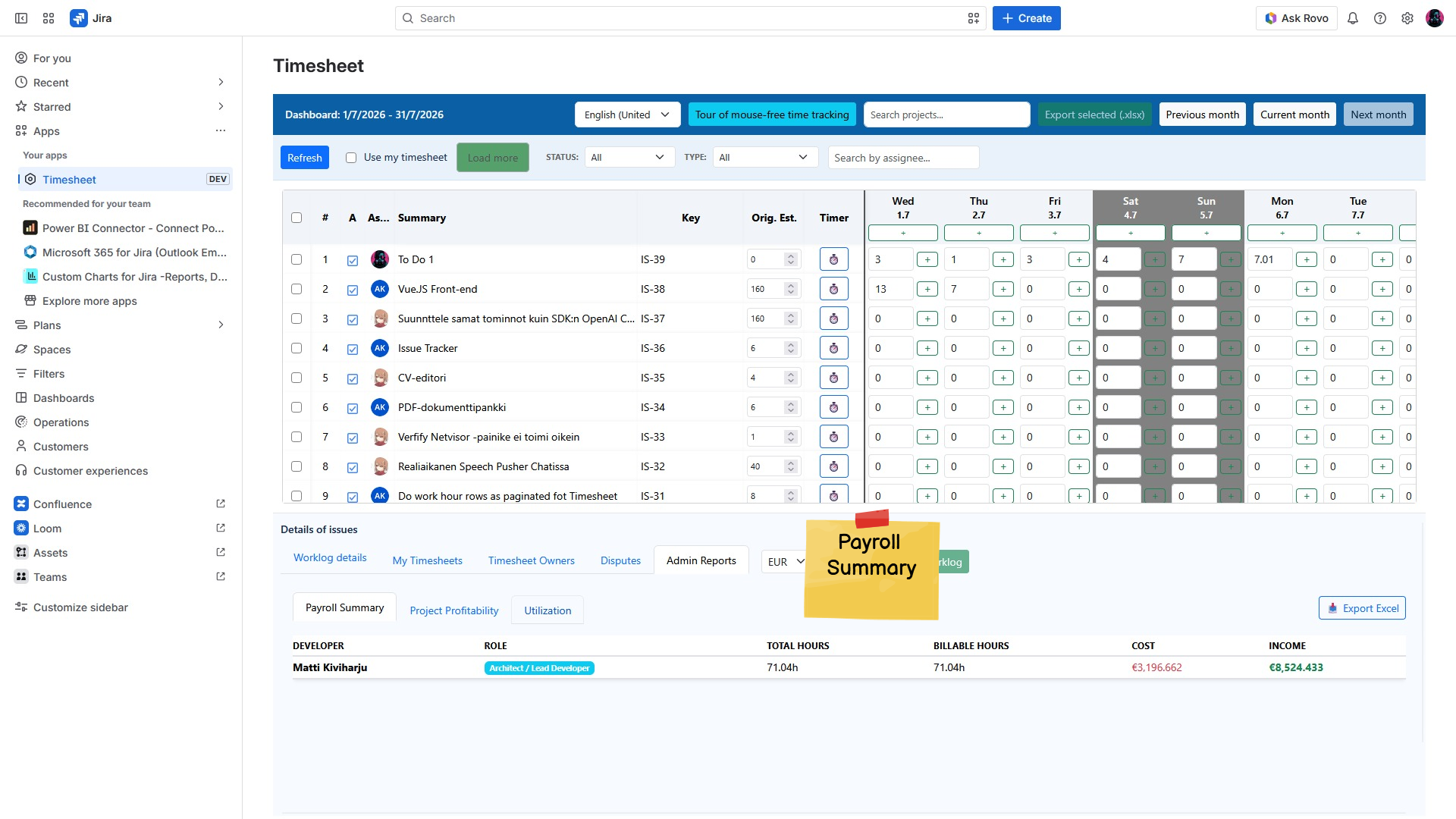
Jira Timesheet Management
Jira timesheet interface and work hour summary.
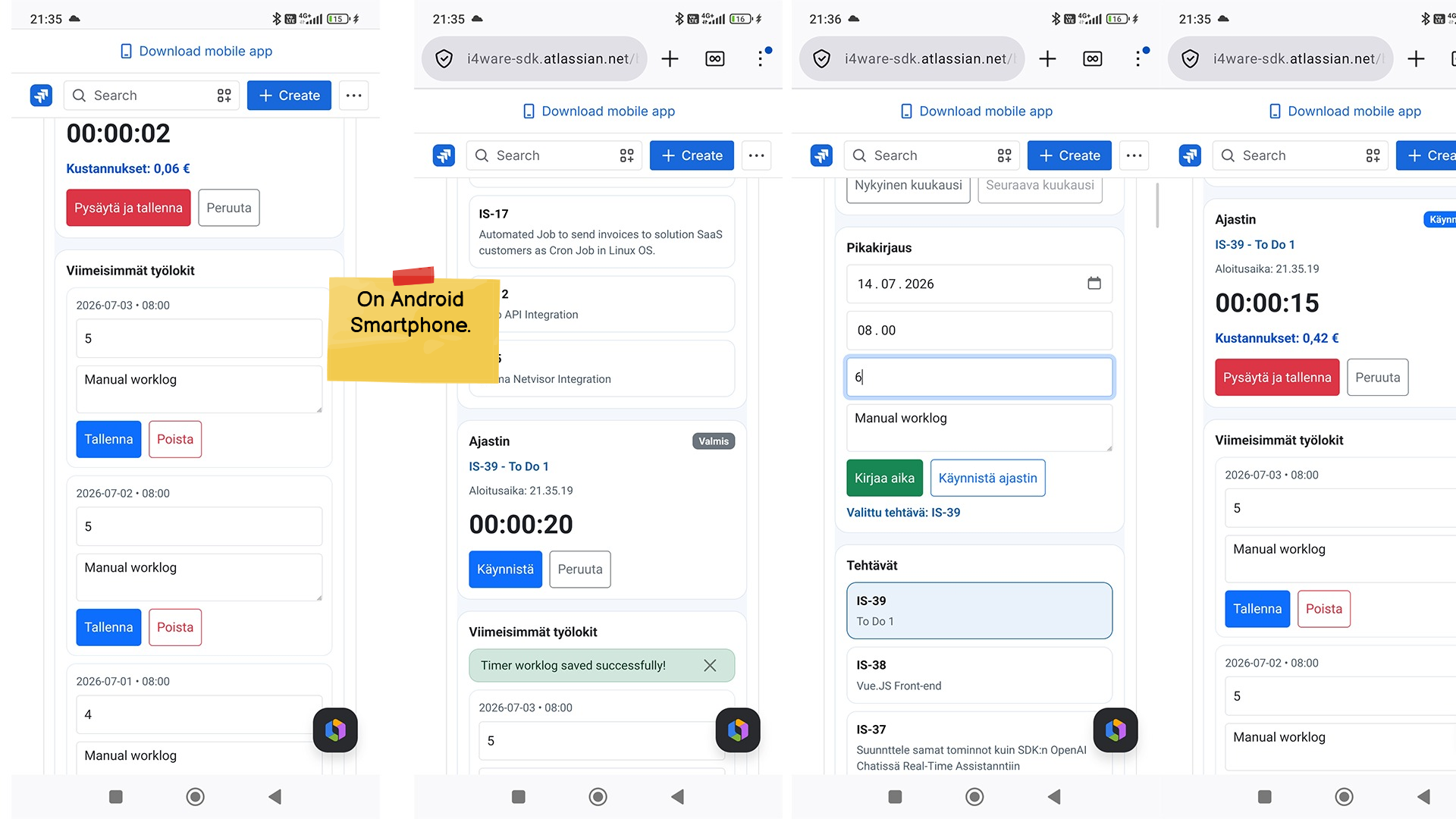
Time Tracking on Android App
Time tracking interface on an Android app.
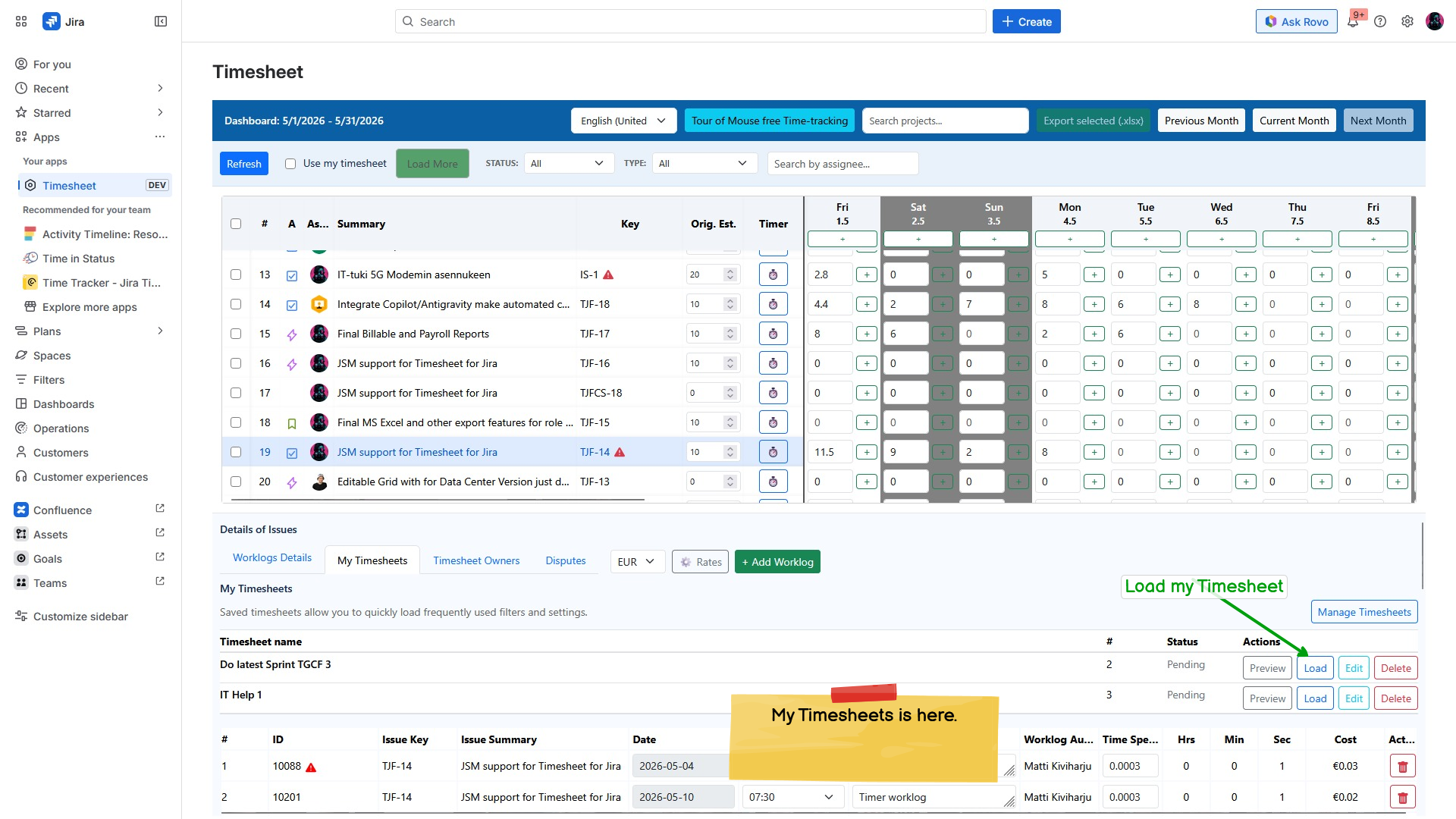
Timesheet Management in Jira
Timesheet management in the Jira application.
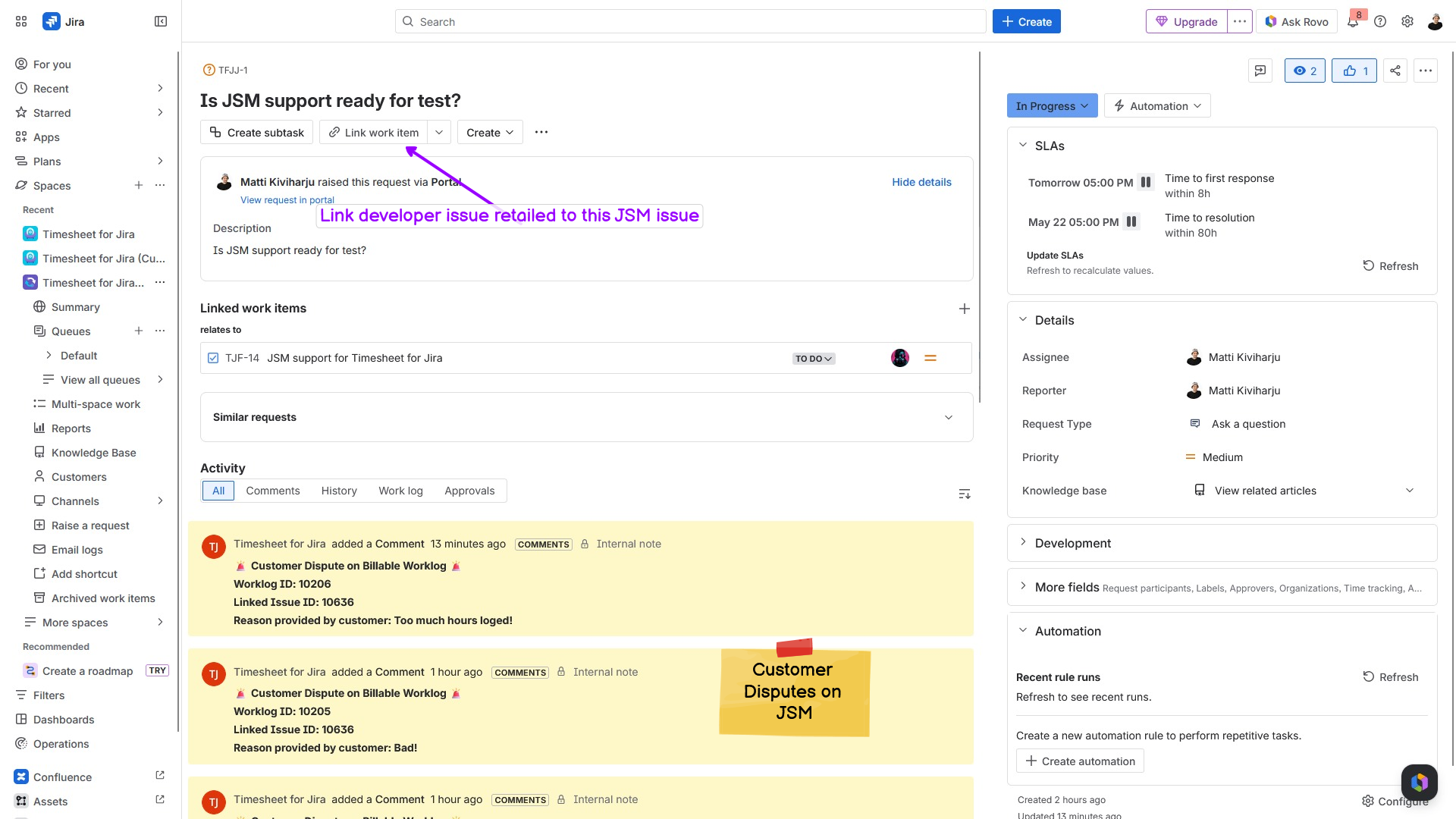
Jira Issue and Customer Feedback
Jira interface showing customer feedback and issues.
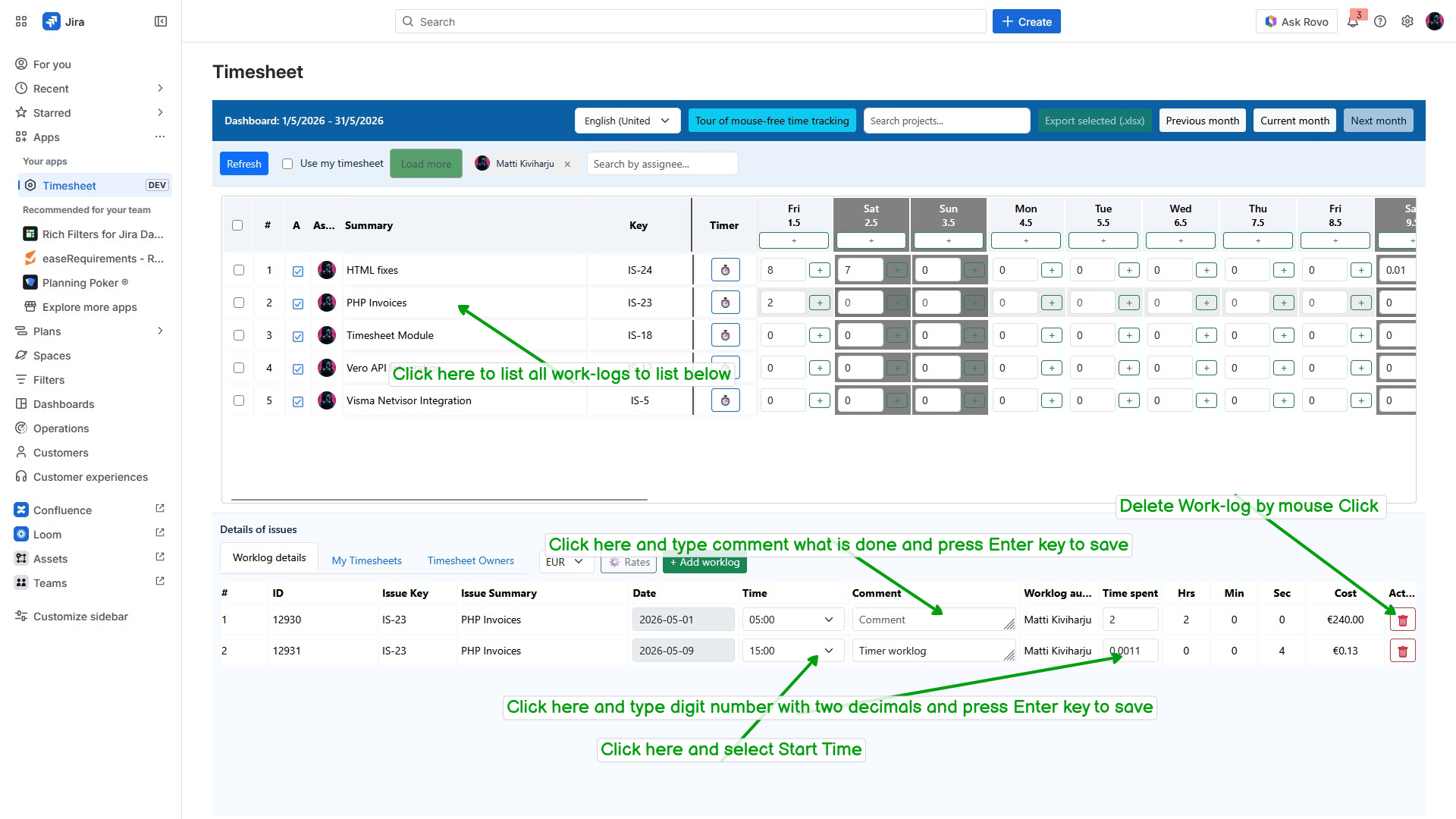
Timesheet in Jira Application
Timesheet and work logs in the Jira application.
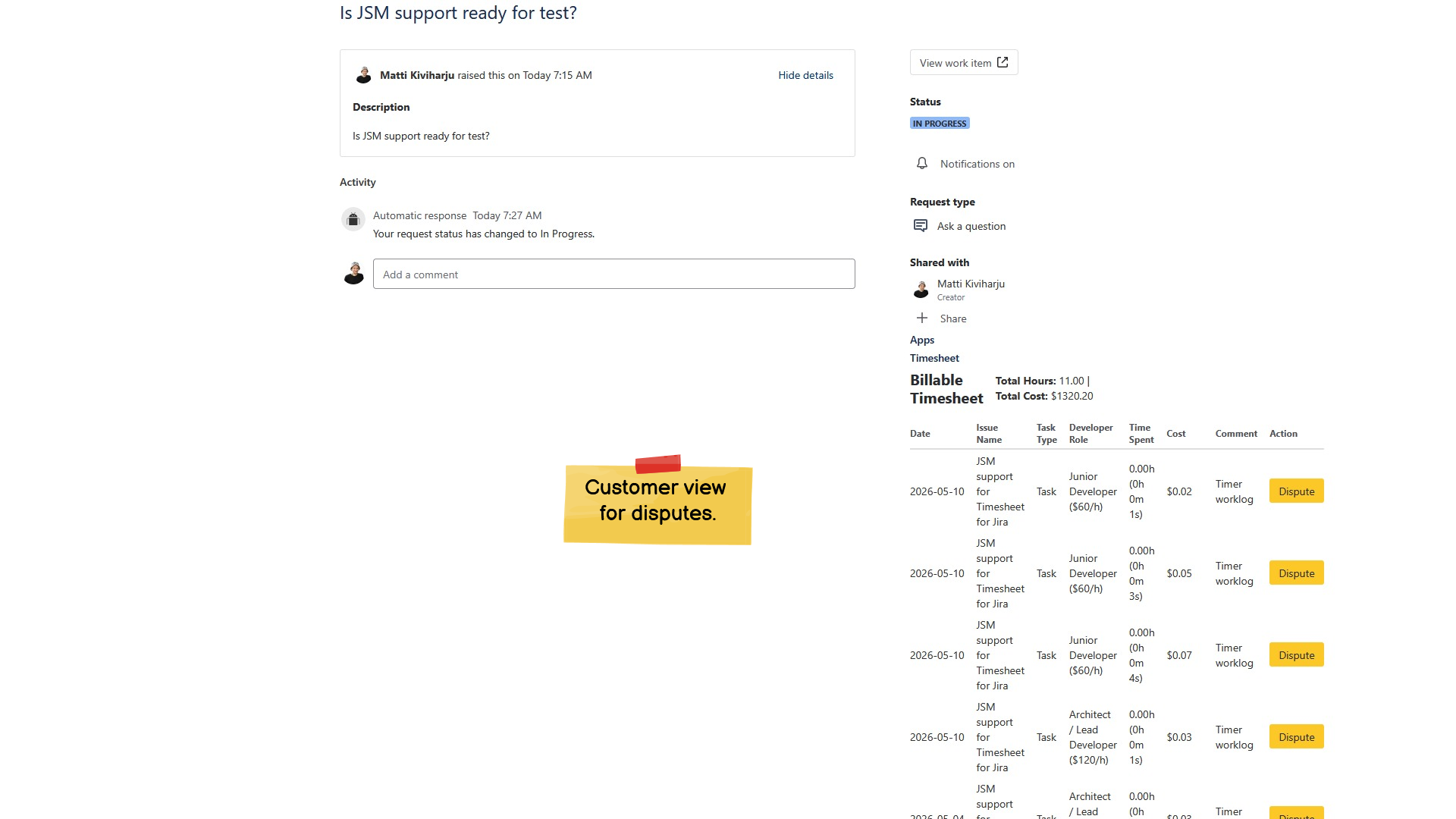
JSM Support Test Readiness
Discussion on JSM support readiness.
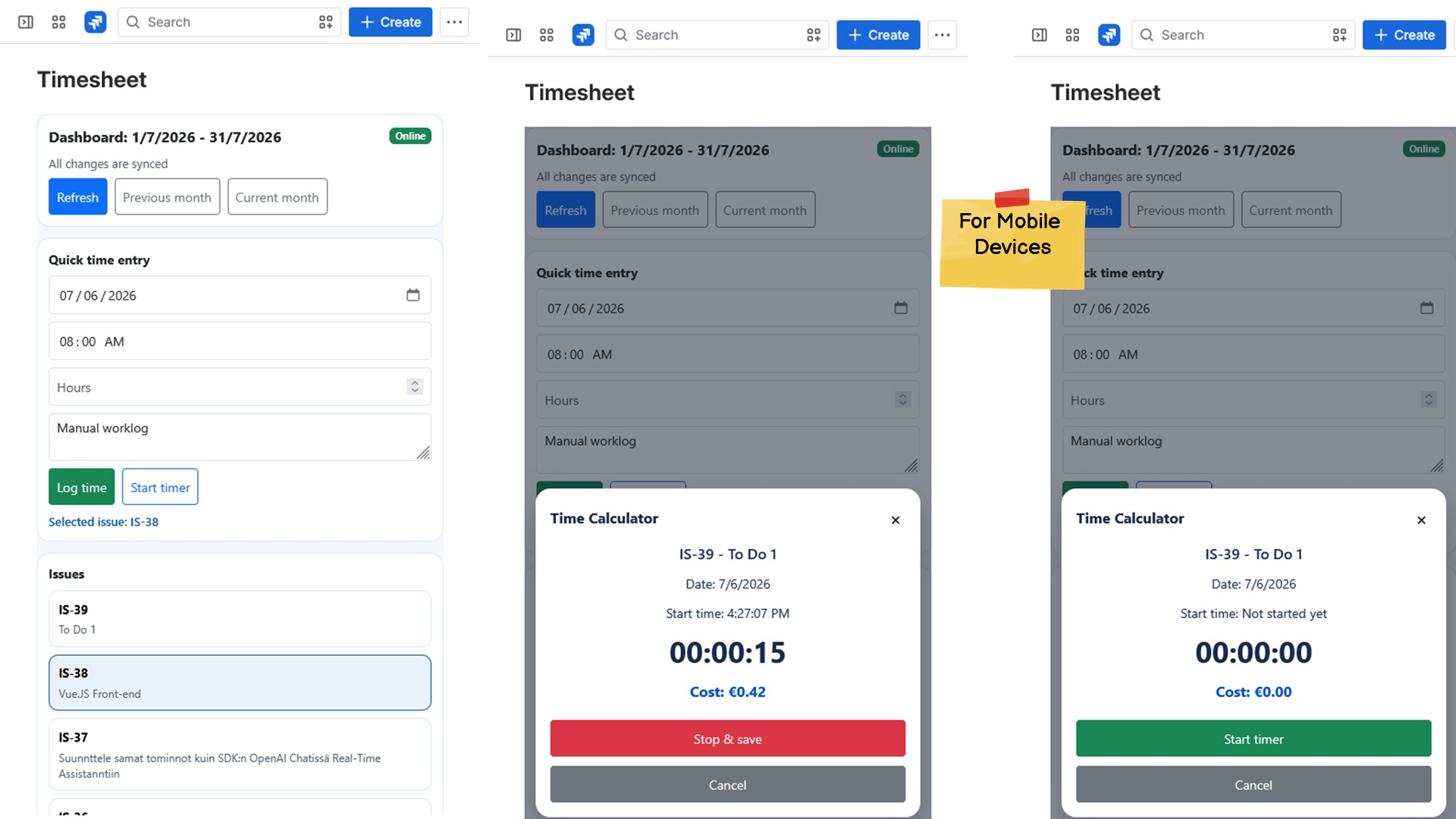
Timesheet Management
Timesheet management panel and time entry.
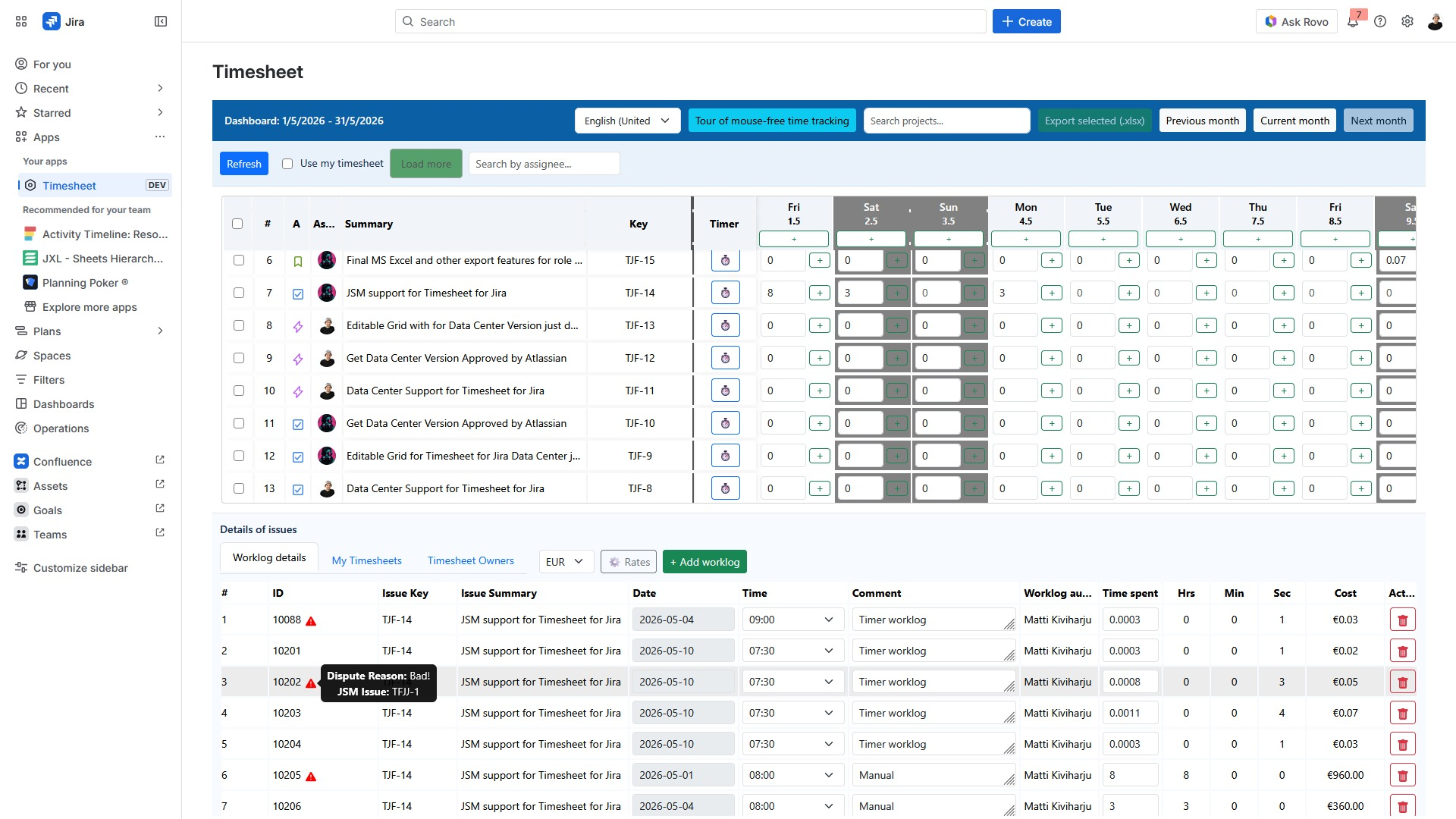
Jira Timesheet Management
Jira timesheet management and time entries.
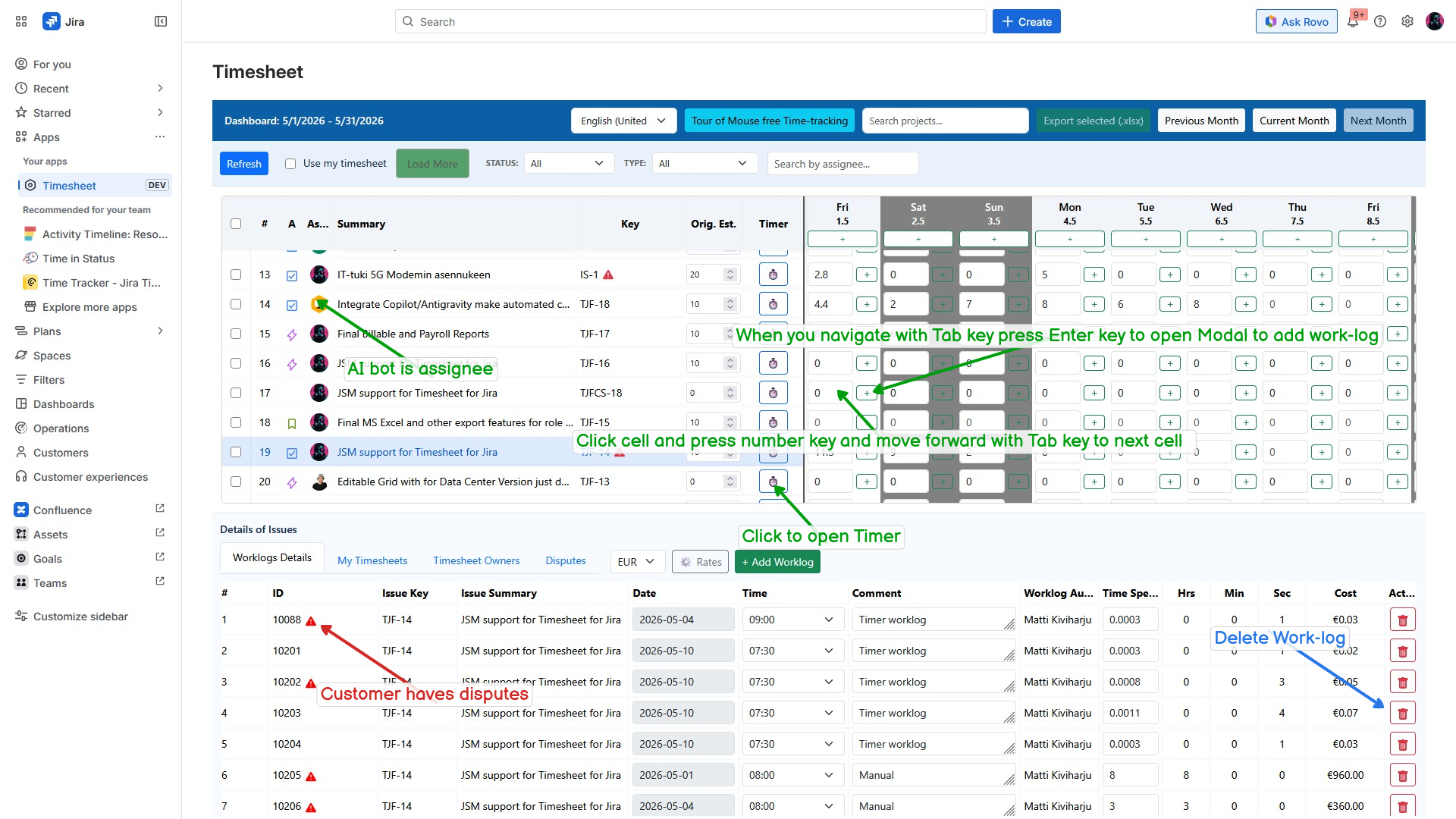
Timesheet Interface
Jira timesheet interface with instructions
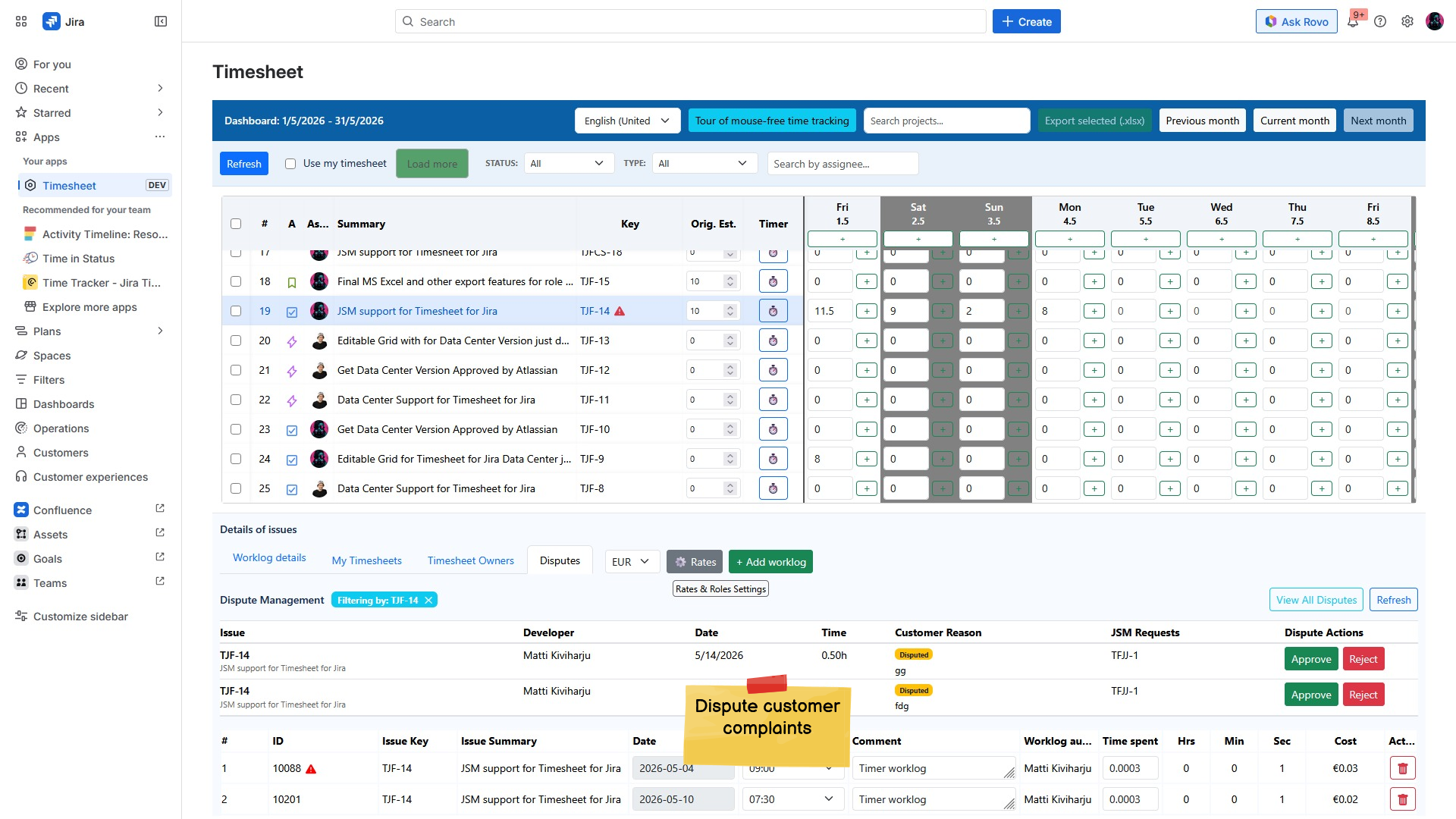
Timesheet Management in Jira
Timesheet management in the Jira application.
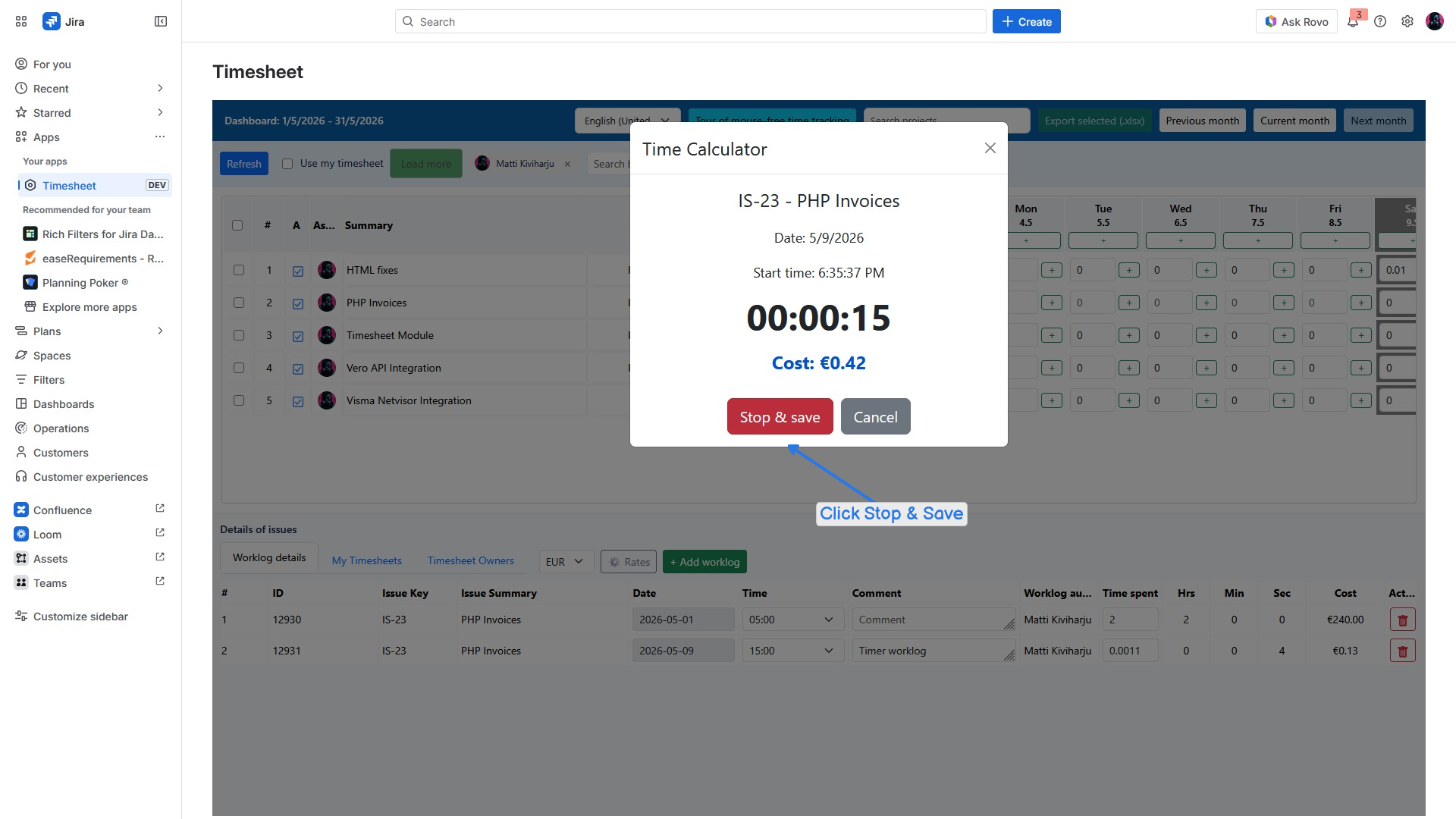
Time Calculator in Jira Timesheet
Time calculator within the Jira timesheet interface
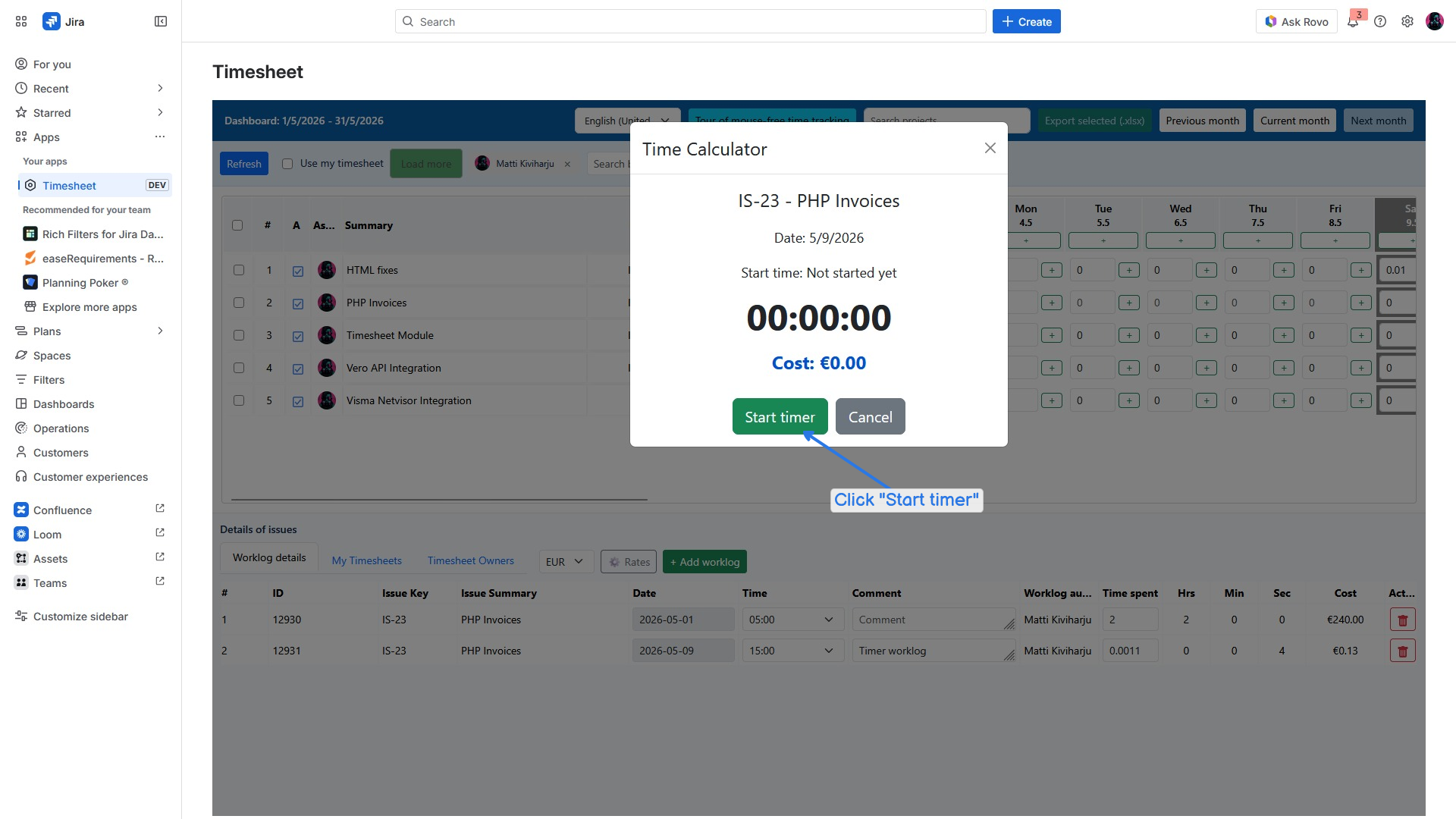
Time Calculator in Jira Application
Time calculator for PHP invoices in Jira
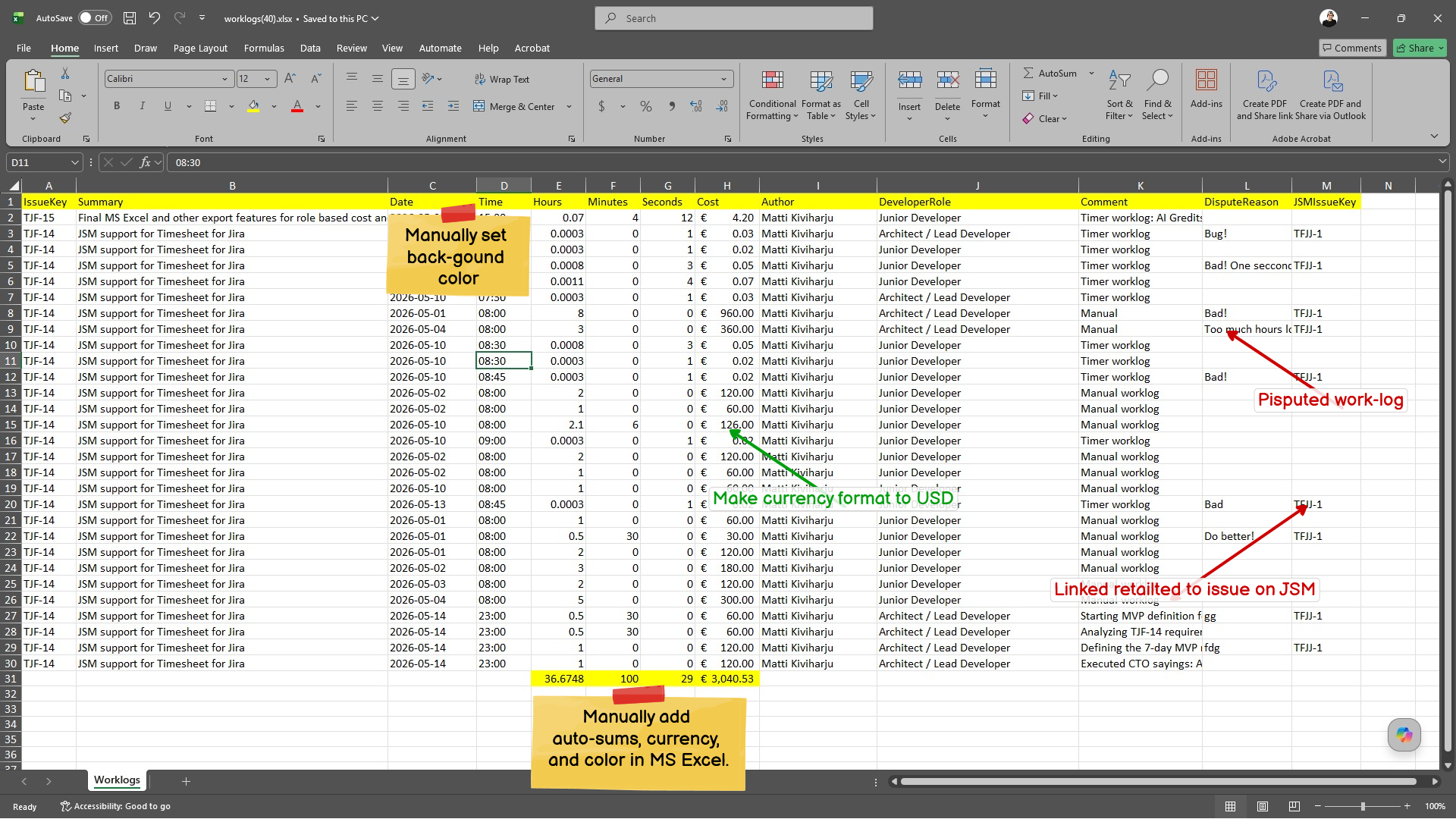
Excel Timesheet Overview
Overview of work time entries in Excel.
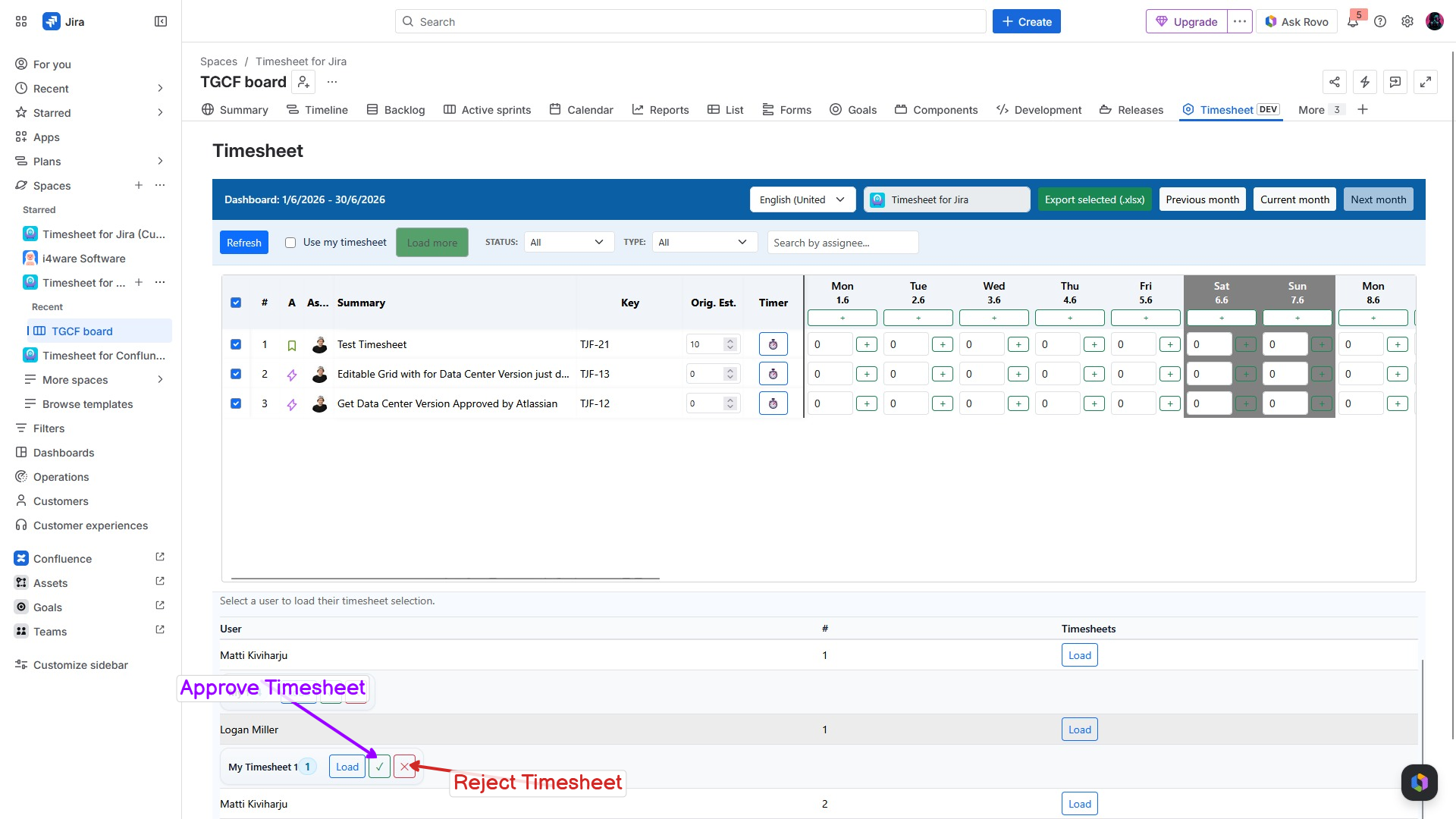
Jira Timesheet Management
Options to approve or reject timesheet entries in Jira.
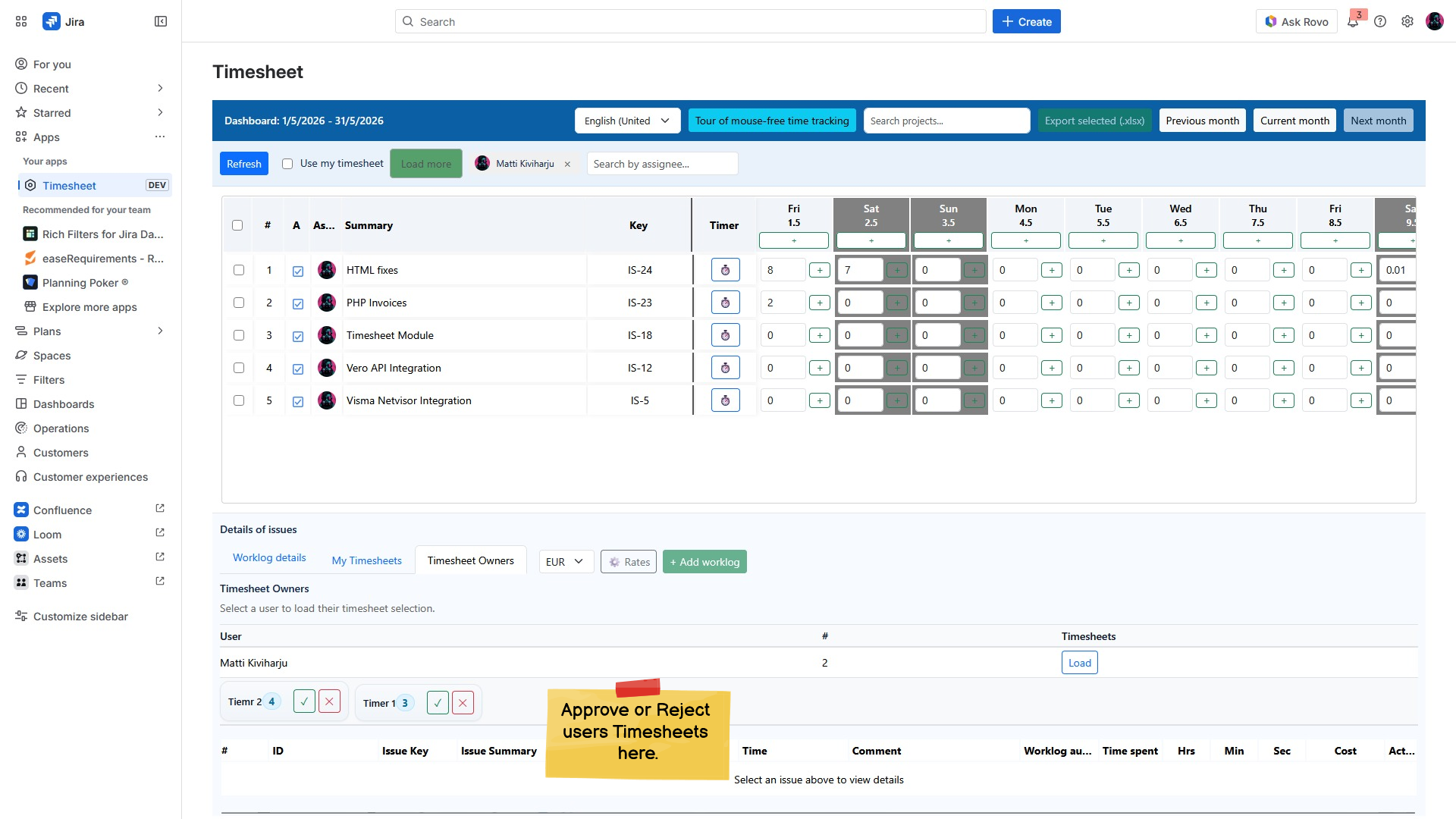
Jira Timesheet Management
Jira timesheet management view.
Try Timesheet for Jira free for 30 days and see how much time your team saves.